Payvori
(888) 899-9032 Merchant login →
(888) 899-9032 Ecosystem Clover® POS MX™ POS MX™ Mobile MX™ Build ACH processing Banking & Treasury Payables Payroll & Benefits Company All Markets About us How we work Partner program ISO’s & Agents Book a consultation →

An ecosystem of products to run your business, chosen with you.

From countertop terminals to online checkout, Payvori brings the pieces of payment processing together — dependable hardware, straight answers, and a setup shaped around the way you actually sell.

Book a consultation
How we work

Advice first. Products second.

Anyone can ship you a terminal. Our consultants read your statements, sit in your operation, and recommend the smallest configuration that fixes the problem — including telling you to keep what already works.

Our consultative approach →
Interchange We read your statement line by line and show which categories you are qualifying at, and why.
Compliance PCI questionnaires, surcharge signage, cash-discount rules. Done properly, once.
Reconciliation Batches, fees and deposits lined up so month-end is one place instead of four.
Surcharge and dual pricing Modeled against your real volume, then set up inside card-brand rules end to end.
The ecosystem

Software and hardware to run the whole operation

Full detail →
Sell

MX™ POS

Point of sale for the counter and the floor: items, modifiers, tips, splits, shifts and drawer reporting.

Sell

Clover® POS

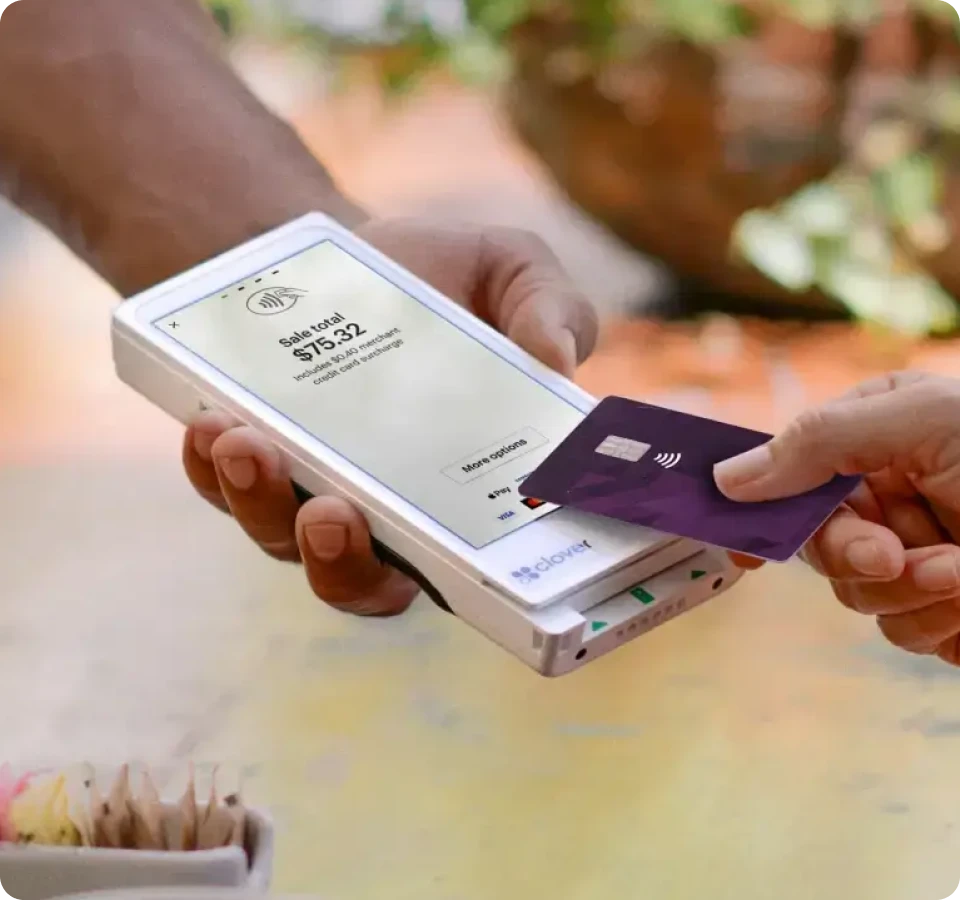
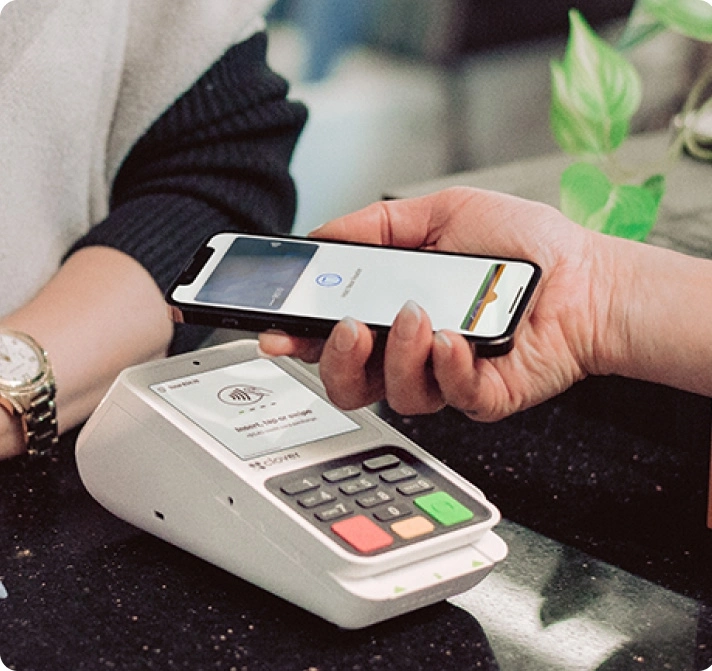
Station, Mini, Flex and Go hardware with the Clover app market — and dual pricing built into the checkout flow.

Sell anywhere

MX™ Express

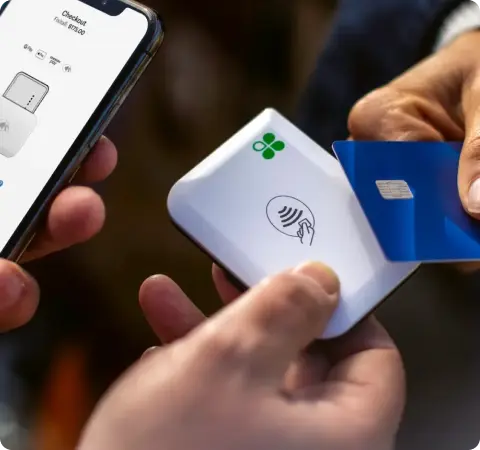
Take card payments from your phone — iOS and Android, free to download, with tips and texted receipts.

Order online

e|tab

Online ordering, hosted checkout, payment links by text and QR at the table — one reconciliation.

Pay people

Payroll & Benefits

Hourly, salaried and contract staff on one run, with withholding calculated, deposited and filed.

Hold

Banking & Treasury

An account with its own details, cards you issue per person, and limits you set by amount or category.

Pay out

Payables

Approve a supplier run once; it goes out by ACH, virtual card or check with a clean bookkeeping export.

Run the jobs

MX™ Build

Job management, invoicing and the MX™ Build Card for contractors — estimates through to final payment.

Bank debit

ACH processing

ACH.com for recurring debits, invoice collection and payouts — cents per transaction instead of card rates.

Dual Pricing

Stop paying card fees out of your margin.

Dual pricing shows a cash price and a card price at the shelf and on the receipt. Customers who pay by card cover the processing cost; customers who pay cash pay less. Most merchants who switch see their net processing cost fall close to zero.

See if it fits your business
At the shelf Example
Cash price $48.00
Card price $49.85
Dual pricing Two posted prices, all card types treated the same. The simplest to run and the easiest to explain to staff.
What we handle Terminal and POS configuration, receipt wording, shelf and door signage, and the card-brand notifications where they are required.
Surcharging programs

A card-brand approved program, set up the way the rules require.

Surcharging is permitted — but only inside a specific set of card-brand rules, and only in states that allow it. Most of the trouble merchants get into comes from a terminal switched on without the registration, the caps, or the disclosure. We run the whole program so yours holds up to a card-brand review.

Non-negotiables we build in
Credit only. Debit and prepaid are never surcharged. Capped at the brand ceiling, and never above your cost of acceptance. Disclosed at the entrance and the point of sale, before the customer commits. Printed as a separate line on the receipt, not folded into the total. Applied evenly across brands — no steering one card over another.
Eligibility check Your state, your business type and your card mix decide whether surcharging, dual pricing or neither is right. We tell you which before anything is signed.
Card-brand notification Where the brands require advance notice of a surcharging program, we file it with the acquirer and keep the confirmation on your file.
Terminal and POS configuration Card-type detection so debit is excluded automatically, prompts in the right order, and receipt wording that names the fee correctly.
Featured Built for contractors and the trades

MX™ Build — run the jobs and the money in one place.

Field service management with financial automation built in. Estimate, dispatch the crew, track progress, invoice and get paid — from first estimate to final payment, without a second system.

Book an MX™ Build demo What is included →
Estimate Quotes and proposals out the same day, with eSign built in.
Dispatch Schedule crews and update clients from one interface.
Get paid Invoice automation and SmartPay shorten the wait for cash.
Profit Receivables, payables and job-level profitability in one ledger.
Who it suits General contractors and trade subs — anyone quoting jobs, sending crews out, chasing progress payments and watching material spend across several projects at once.
Who we work with

Three ways into the Payvori network

Merchants

Restaurants, retail and service businesses that want the right configuration, same-day funding and a person who knows their account.

Partners

Bookkeepers, POS dealers, franchisors and trade associations who send us merchants and earn a residual on every one.

See the program →

ISO’s & Agents

Sales offices and independent agents who want competitive buy rates, dual pricing to sell with, and back-office support that does not slow a deal down.

Agent program →
MX™ Build

Run your jobs and your finances in one place.

Field service management with financial automation and AI built in. From first estimate to final payment — scheduling, dispatch, proposals, payments and profitability tracking, without the overhead of five separate tools.

Book a demo
Estimate and send proposal
Book job and dispatch team
Track progress and approvals
Automate invoicing and payments
Control spend and maximize profit
Theo, the AI assistant

Estimates from a photo and a scribbled note

The part contractors notice first. Theo reads what you already have instead of asking you to retype it.

Scan a supplier invoice, photograph a handwritten note, upload pictures from site — Theo pulls the details out automatically and turns them into an accurate estimate or invoice. Manual entry, which is where most estimating time and most errors actually live, largely disappears.

Reads supplier invoices Reads handwritten notes Reads field photos Extracts line items and detail
Jobs and proposals

Quote to sign-off without the chaos

Mobile-friendly tools built for the field, so the office and the crew are looking at the same job.

Field service management

Schedule crews, assign work orders and track progress in real time, from first dispatch to final sign-off.

Professional proposals

Branded estimates in a few clicks, with built-in e-signatures, automated invoice generation and status tracking.

Getting paid

Payments that work the way construction does

Retention, joint checks, lien waivers and multi-party approvals are the normal case in this trade, not edge cases.

Accounts receivable

Collections that chase themselves: AI-driven payment reminders, embedded payment links, automatic escalation of past-due accounts, and a real-time AR dashboard so you know where the money is.

Spend and books

Know the margin while the job is still open

Material spend and labor coded to the job as it happens, rather than reconstructed once the job is finished.

Finance and accounting

Expenses auto-coded by job, vendor or category, project-level profitability tracked in real time, direct export to your general ledger, and QuickBooks integration — so the books close faster with fewer corrections.

Who it is for

General contractors and trade subs

If you quote jobs, send crews out, chase progress payments and watch material spend across several projects at once, this is built for your operation. Onboarding is white-glove — we set it up with you rather than sending a login.

General contractors Multi-party payments, retention, subcontractor waivers and job-level margin across an active book.
Trade partners & subs Faster estimates, quicker sign-off and getting paid without a lot of phone calls.
Field service Scheduled work, dispatch and payment collected on site rather than invoiced later.
Payables

Pay any supplier by card — even the ones who do not take cards.

Put your payables on your credit card and we pay your vendors by check, ACH or wire. Your cash stays in the business for another billing cycle, your card program earns on spend it never saw before, and your suppliers do nothing differently.

Book a consultation
How it works

Three steps, and nothing changes for your vendor

01

You choose who to pay

Select the suppliers you want on the card, using your existing approval process. Nothing else in your workflow moves.

02

We process it on your card

The payment runs on your credit card, or an alternative method where that suits the invoice better.

03

Your vendor gets paid normally

A check, ACH or wire arrives the way it always does. No sign-up, no portal, no conversation about card fees.

The economics

Cheaper working capital than most credit lines

The headline fee is not the real number. Card rewards offset most of it, the fee is a deductible business expense, and what remains buys another sixty days of float on money you were about to spend anyway.

Illustration only. Your actual cost depends on your card benefits, your tax rate and your issuer’s payment terms — we work it out against your real numbers.

A look at the numbers
Standard fee 2.99%
Typical card benefits − 1.50%
Tax deduction at 25% − 0.725%
Net cost 0.765%
Annual cost of capital at a 60-day pay cycle 4.60%
What you get
Working capital unlocked from money already committed More flexible cash management through the month Early-pay discounts you can afford to take A streamlined payables process instead of a check run Rewards and rebates on spend that never touched a card
What your suppliers get
No sign-up and no new system to learn Paid on time, which improves their DSO Automated reconciliation on their side A customer who is easier to do business with

This is the part that surprises people: there is no negotiation with the vendor, because from their side it is an ordinary check or bank transfer arriving on time.

What people put on it

Common payment categories

Inventory
Rent
Technology & equipment
Telecom
Shipping
Insurance
Media & advertising
+ most other vendors

Work out your real net cost

Tell us your card program, your monthly payables and your billing cycle. We will show you the number for your business rather than the illustration.

Book a consultation
Banking & Treasury

Your money, available in minutes — not in two days.

A business account built onto your merchant processing rather than beside it. Card batches fund to your account within minutes of closing, reconciliation happens by itself, and you can see the money on a Saturday.

Book a consultation
Minutes From batch close to funds
FDIC Pass-through insured
Unlimited Sub-accounts
99.999% Uptime standard
Why it is different

An account that knows about your card processing

Accelerated cash flow

Funded within minutes of batch close

Links directly to your merchant processing account, so closed batches are recognized immediately. Visibility into funds on weekends and holidays, when a traditional account shows you nothing.
Automated reconciliation

The month-end that does itself

Fully automated reconciliation rather than a spreadsheet exercise every month. Captures transaction detail down to invoice numbers and remittance information. Matches to any general ledger structure, including the one you already use.
Configurable

Shaped around how you already work

Links instantly to your external bank accounts. Maps cleanly onto your general ledger accounts. Supports your established workflows instead of replacing them.
Treasury features

Tools most small business accounts do not give you

Sub-accounts Unlimited sub-accounts for savings, escrow, reserves, taxes or fees — so the tax money is not sitting in the operating balance.
Cards Linked physical and virtual debit cards for purchases, which removes the financing cost of putting spend on credit.
Bill pay Automate vendor payments from the same balance your deposits land in.
Investment sweeps Surplus cash swept into money market, treasury bill or core bond accounts rather than sitting idle.
Multi-location Handles several sites or mirrors your general ledger, with permission hierarchies per user and dual approval on payments.
Integrations API access into your accounting and finance applications, with customizable dashboards and reporting.
Money in, money out

Every payment type, one balance

Funds are held in a secure pass-through FDIC-insured account, and every common rail is supported both directions. Linking external bank accounts is supported; fees apply.

Virtual card Bank transfer ACH Wire Check Card acceptance
Underneath it

Bank-grade, and audited like it

Reliable 99.999% uptime standard, redundant cloud infrastructure and a diverse network of bank partners.
Secure SOC 1 and SOC 2, PCI Level 1, HIPAA certified, with AML, BSA, OFAC and FinCEN compliance.
Protected Full tokenization, two-factor authorization and nationwide money transmission licenses.
Transparent Customizable dashboards, hierarchical permissions, dual approval and transaction-level metadata.

Pass-through FDIC insurance is subject to FDIC rules. Fees apply to linked external bank accounts.

Faster funding changes what you can do

Paying staff and suppliers sooner improves retention and puts early-pay discounts within reach. Tell us your batch volume and we will show you the timing difference.

Book a consultation
ACH processing

Why stop at credit cards?

Debit the customer’s bank account directly and cut the card networks out of the transaction. For recurring bills, larger invoices and anything on a schedule, ACH is the most cost-efficient way to move money.

Book a consultation
Why this platform

Not all ACH processors are the same

Infrastructure

Tier 1 processor with a Fed terminal on site

One of only a handful of processors in the country entrusted with a Federal Reserve terminal on premise. In practice that means earlier return information, better exception handling, and the latest possible cut-off times.

Expertise

Accredited ACH Professionals on staff

Multiple AAP-certified specialists, which matters the day a return code needs interpreting or NACHA rules change and someone has to tell you what it means for your file.

Reporting

Real-time visibility

Advanced online reporting as transactions happen, with checks and balances across every batch so you can measure results rather than wait for a statement.

Where it earns its place

When a percentage is the wrong shape of fee

On a $40 ticket, card pricing is fine. On a $4,000 invoice or a monthly membership, a percentage of the total starts to cost real money for a payment that took no more work. We usually run ACH alongside cards and let the customer pick.

Recurring billing Memberships, subscriptions and retainers debited on a schedule, with no card expiry to chase.
Large invoices Trade accounts, project payments and anything where the ticket runs into the thousands.
Rent & tuition Predictable monthly amounts from the same payers, month after month.
Replacing checks Customers still mailing paper, with the reconciliation that comes with it.
In the platform

What you can do with it

Recurring schedules Set a debit to repeat weekly, monthly or on your own cycle and leave it running.
Account verification Check an account before you debit it, so fewer items come back as returns.
Invoice collection Send a link and let the customer authorize the debit themselves.
Returns & exceptions Return codes surfaced early, with the specialists to tell you what to do about them.
Reporting Real-time batch and transaction reporting, exportable for your bookkeeper.
Integrated Sits alongside your card processing rather than in a separate system to reconcile.
Two ways to originate

Key entries by hand or hand us the file

Small originators work out of the virtual terminal. Higher-volume shops and software platforms push NACHA or CSV files and pull results back automatically. Both run on the same platform, so you can start in one and grow into the other.

Virtual terminal

Work entry by entry, in the browser

Single entries, recurring schedules and saved templates Batch creation and maintenance for repeat runs Manual file upload in multiple accepted formats All standard entry class (SEC) payment types Transaction warehousing with edit and void up to cut-off Payment approval, verification and risk services
Files & web services

Automate the whole cycle

Automated SFTP upload of NACHA or CSV files Single and recurring entries created via web services Automated return retrieval, no manual download Research and reporting pulled straight into your system Check conversion entries — RCK, ARC, POP and BOC Full virtual terminal access alongside the API
Risk and service

Debits are where the exposure lives

Pulling money from someone else’s account carries risk a card payment does not. The controls and the people behind them are the reason to care which processor sits underneath.

Layered fraud protection Suspicious entries flagged before they release, with ongoing risk assessment and approval controls held at the parent level.
Set-up and training included Your team is trained on your own entry types and cycle, not a generic walkthrough — and the same people handle the ongoing questions.
Answers, not ticket numbers Calls picked up quickly and answered in detail. On ACH, a same-day answer on a return can be the difference between a fixed file and a missed cut-off.

See what moving off cards would save

Tell us your average ticket and how much of your volume is recurring. We will show you which payments belong on ACH and which are better left on card.

Book a consultation
MX™ Mobile

Handheld POS built for speed and mobility.

Take the order, print the receipt and complete the payment from one device — at the table, in the queue, on the patio or wherever the customer happens to be standing.

Book a demo
What it does

One device, the whole transaction

Hardware

Handheld with built-in printer

Simple hardware for orders and receipts anywhere — no separate printer to walk back to, no paper slips to reconcile later.

Workflows

Optimized order flow

Less time per transaction, fewer mistakes, and faster training for whoever is on shift tonight.

Margins

Cash discount & surcharging

Offset processing costs on every payment, configured on the device rather than left to staff to remember.

Staff

Time clock management

Track punches by role, so labor cost lands in the right place and the hours are right before payroll sees them.

Payroll

Integrated payroll

Hours sync straight through to payroll with no manual re-entry — the step where most weekly errors are made.

Support

Embedded user guides

Help lives in the device, so training and troubleshooting rarely need a phone call at all.

Where it earns its place

Anywhere the customer is not at the counter

Most businesses run handhelds alongside a station rather than instead of one — same software, same menu, same reporting, so nothing is relearned and nothing is reconciled twice.

See MX™ POS stations →
Table service Order and pay at the table; the ticket reaches the kitchen before the server walks away.
Patio & outdoor Seasonal seating that needs no cabling and no second till.
Line busting Take orders down the queue at peak instead of watching people leave it.
Curbside Payment and a printed receipt at the car window.
Markets & events Trading away from the premises without leaving the reporting behind.

Put one in your hand

Tell us how your floor works and how many handhelds you would need. We will demo it on your own menu.

Book a demo
MX™ POS

One system for the counter, the kitchen and the back office.

Front of house and back office were rebuilt from the ground up around the features merchants actually use — fewer taps to finish a task, workflows that explain themselves, and online ordering and payroll built into the same system rather than bolted alongside it.

Book a demo
Android Modern platform
12,000 Items supported
Plug in Pre-configured on arrival
Compliant Surcharge & cash discount
Front of house

Built so a new hire is useful on their first shift

The order, menu, payment and end-of-day screens were redesigned around the tasks staff repeat hundreds of times a day. Intuitive workflows cut training time and mistakes, and training material is embedded in the system itself.

Order screen Items, modifiers and courses laid out for speed at the counter or the table.
Payment screen Splits, tips and card-type handling in fewer taps than before.
End of day Close out, reconcile the drawer and see the day without a manager present.
Embedded guides Help lives inside the screens, so staff answer their own questions.
Back office

Owner tools that respect your time

Menu building

AI-assisted setup

Your menu is built for you rather than typed in item by item — the single biggest reason POS installs drag on.

Staff

Tip pooling

Pool and distribute tips by your own rules, calculated in the system instead of on paper after close.

Marketplace

Add-ons when you want them

Turn on online ordering, payroll or other services from the back office yourself, without a new install.

Built in, not bolted on

Online ordering and payroll inside the same system

e|tab online ordering

Your own branded ordering, so you keep the customer relationship and avoid third-party marketplace fees eating the margin on every order.

One menu, one price list, one report — managed in MX™ POS DoorDash Drive for on-demand delivery at a flat rate Apple Pay built into checkout

Payroll

Detail →

Set payroll up yourself from the POS back office, and stop retyping hours between two systems at the end of every week.

Time clock hours pull straight through into payroll Add a new hire once and they exist in both systems Staff get their own pay stubs and detail updates
Getting it installed

Hardware arrives ready to go

Devices are pre-configured and provisioned before they ship, so installation is plugging in rather than a build day. We are on site or on the line for the first shift either way.

01 Pre-configured, plug-and-play hardware shipped ready for install
02 Guided setup with QR-linked videos and step-by-step workflows
03 A go-live checklist that validates payments, printing and reporting before you open
04 Remote support tools pre-installed, so a problem at the till can be fixed without a visit
Hardware

Three bundles, or build your own

Core

Station & receipt printer

The essentials for a single till.

Pro

Adds a customer display

For counters where the customer taps, tips and checks the order.

Premier

Adds a barcode scanner

For retail with a real product list to ring through.

Also available MX™ Mobile handhelds for table service and the floor, Dejavoo terminals, cloud-managed Star kitchen printers, cash drawers, scales and customer displays. Ancillary hardware is quoted separately.
Is it right for you?

Where MX™ POS fits best

Quick service, table service and small-scale retail, up to around twelve thousand items. If your operation sits outside that, we will say so and point you at the right system instead.

Quick service Counters where the queue matters and speed is the whole game.
Table service Tabs, courses, splits and tip pooling, with handhelds for the floor.
Small retail Product lists, barcode scanning and category-level reporting.

See it before you decide

We will walk you through the front of house and back office on a live system, using your menu rather than a demo one.

Book a demo
Payroll & Benefits

Better payroll. Lower costs.

Spend your time growing the business, not running payroll. Automate the complex parts, cut manual entry, and pay people accurately and on time without doing the work yourself.

Book a consultation
All 50 states Payroll runs nationwide
Unlimited Standard runs, flat fee
2 days Initiate to payday
W-2 & 1099 Issued at year end
Why it is easier here

Three things that make the difference

01

Worry-free compliance

Tax calculations, withholdings and filings are handled by the platform — keeping you compliant with federal, state and local rules, and reducing the risk of errors or penalties.

02

Easy onboarding

Setup guides you step by step and takes minutes, with no technical expertise needed. Data imports cleanly from your current provider, and we are on the call while you switch.

03

Connected to the rest

Payroll shares data with your other products, so there is less manual entry and less to reconcile. Card deposits and wages sit in the same view.

What you get

Everything a payroll run needs

Hourly, salaried and contract staff on one run, with the filings and the paperwork taken care of behind it.

Pay runs Weekly, biweekly, semi-monthly or monthly, plus supplemental runs outside the schedule.
Differential pay Different rates for different roles, calculated from the hours worked in each.
Deductions A wide standard set, custom deductions on request, and garnishments handled at setup.
Permissions Bookkeeper, payroll admin and beneficial owner roles, each with its own access level.
Integrations QuickBooks accounting, and time tracking by API, CSV upload or manual entry.
Tax filing Withholding calculated, deposited and filed at federal, state and local level.
Benefits Health, retirement and pre-tax deductions administered alongside the run.
Contractors Contract staff paid on the same run, with year-end forms issued for them too.
Staff access Self-serve payslips and tax documents, so your inbox stays out of it.
Reporting Labor cost by period and by role, exportable for your bookkeeper.
Switching

Move at a quarter boundary and nothing breaks

Payroll is the one product we would rather you moved on our timetable than yours. Switch at a quarter end and year-end filings stay clean; switch mid-quarter and someone spends a weekend reconciling. We will tell you which date to pick.

01 We import your employee records, pay rates and year-to-date figures from your current provider.
02 You run one parallel cycle to confirm the numbers match before anything goes live.
03 Staff get their self-serve logins, and the first real run happens with us on the phone.

Ready to stop dreading payroll day?

Tell us your headcount and how people are paid. We will show you what the run looks like and what it costs.

Book a consultation
Online Ordering — e|tab

Your online ordering, on your terms.

A branded ordering site and QR menu that runs off your POS menu, sends tickets straight to the kitchen, and charges you a flat monthly fee instead of a cut of every order. The customer stays yours — name, email, order history and all.

Book a demo
0% Commission per order
Your brand Not a marketplace
One menu Synced from the POS
Your data Customers stay yours
The problem

Third-party apps rent you your own customers

Twenty to thirty percent of the ticket, a tablet that does not talk to your POS, and a customer list you never see. On a thin food-cost margin, delivery-app orders can be the least profitable thing you sell.

Flat fee, not a percentage One monthly price no matter how many orders come through. Volume growth is yours to keep instead of scaling somebody else’s commission.
One menu to maintain Items, modifiers, prices and 86’d stock come from the POS. Change it once at the register and the ordering site follows.
No extra tablet Orders fire to the kitchen printer or KDS like any other ticket, and land in the same batch and the same reporting.
The list is yours Names, emails and order history sit in your account — so you can market to repeat customers instead of paying to reach them again.
What it does

Every way a customer wants to order

Branded ordering site

Your name, colors and photography on a mobile-first site you can link from your own domain and social profiles.

QR menu and pay at the table

Scan to browse, order and settle without waiting for the check. Turns tables faster and lifts tip averages.

Pickup, curbside and delivery

Set your own lead times, fees and radius per service type, and pause any of them from the POS on a busy night.

Scheduled and repeat orders

Future-dated pickups, catering-sized tickets and one-tap reordering for the regulars who order the same thing every week.

Payment links by text

Send a hosted checkout link for a phone order, a deposit or a catering balance — no card read aloud over the counter.

Tips, taxes and dual pricing

Prompts, rates and card pricing set to match the counter, so online tickets reconcile against in-store without a spreadsheet.

Getting live

We build the menu, you approve it

The reason most restaurants never switch is the thought of retyping a menu. We do that part from your existing POS data and hand you a working site to check.

Book a demo
Menu build Items, modifiers, photos and pricing pulled from the POS and laid out for the web.
Branding Logo, colors and imagery applied, then pointed at your domain or linked from the site you have.
Routing Tickets tested end to end into the kitchen printer or KDS before a single customer sees the link.
Training Your staff walked through pausing items, adjusting lead times and handling a rush.

What are the apps costing you a month?

Send a month of third-party statements and we will show you the same volume run through e|tab, side by side.

Book a demo
Clover® POS

One software platform. Eight devices. Start where you are.

Every Clover device runs the same software, so adding a second one later means no retraining and no separate inventory.

Get a hardware recommendation
The hardware

Current-generation devices

Station Duo

Station Duo

Countertop

The flagship: a merchant screen plus a customer-facing display, built-in high-speed receipt printer, and support for cash drawer, scanner and kitchen printers.

Screen 14″ + 8″
Best for High-volume counters, full-service restaurants, retail
Station Solo

Station Solo

Countertop

The same station without the customer-facing screen — one display, built-in printer and cash drawer, ready out of the box with minimal staff training.

Screen 14″
Best for Bars, server stations, staff-controlled registers
Mini

Mini

Countertop

A complete POS in a small footprint: touchscreen, integrated printer, and swipe, dip or tap acceptance. Works standalone or alongside a Station.

Screen 8″
Best for Fixed counters where space is tight
Flex

Flex

Handheld

All-in-one handheld with printer, camera scanner and 4G LTE. Take payment at the table, on the patio, in the queue or in the field.

Screen 6″
Best for Table service, curbside, off-site work
Flex Pocket

Flex Pocket

Handheld

The smallest handheld in the range — payments in a pocket, for staff who move constantly and do not need an on-device printer.

Screen Pocket
Best for Roaming staff, events, markets
Compact

Compact

Countertop

A streamlined countertop terminal for businesses that want card acceptance and receipts without a full point of sale.

Screen 5″
Best for Simple checkout, lowest entry point
Clover Go

Clover Go

Mobile

A card reader paired with the Go app on a phone or tablet you already own. Works anywhere with a cell or Wi-Fi connection.

Screen Your phone
Best for Mobile trades, low volume, backup device
Kiosk

Kiosk

Self-service

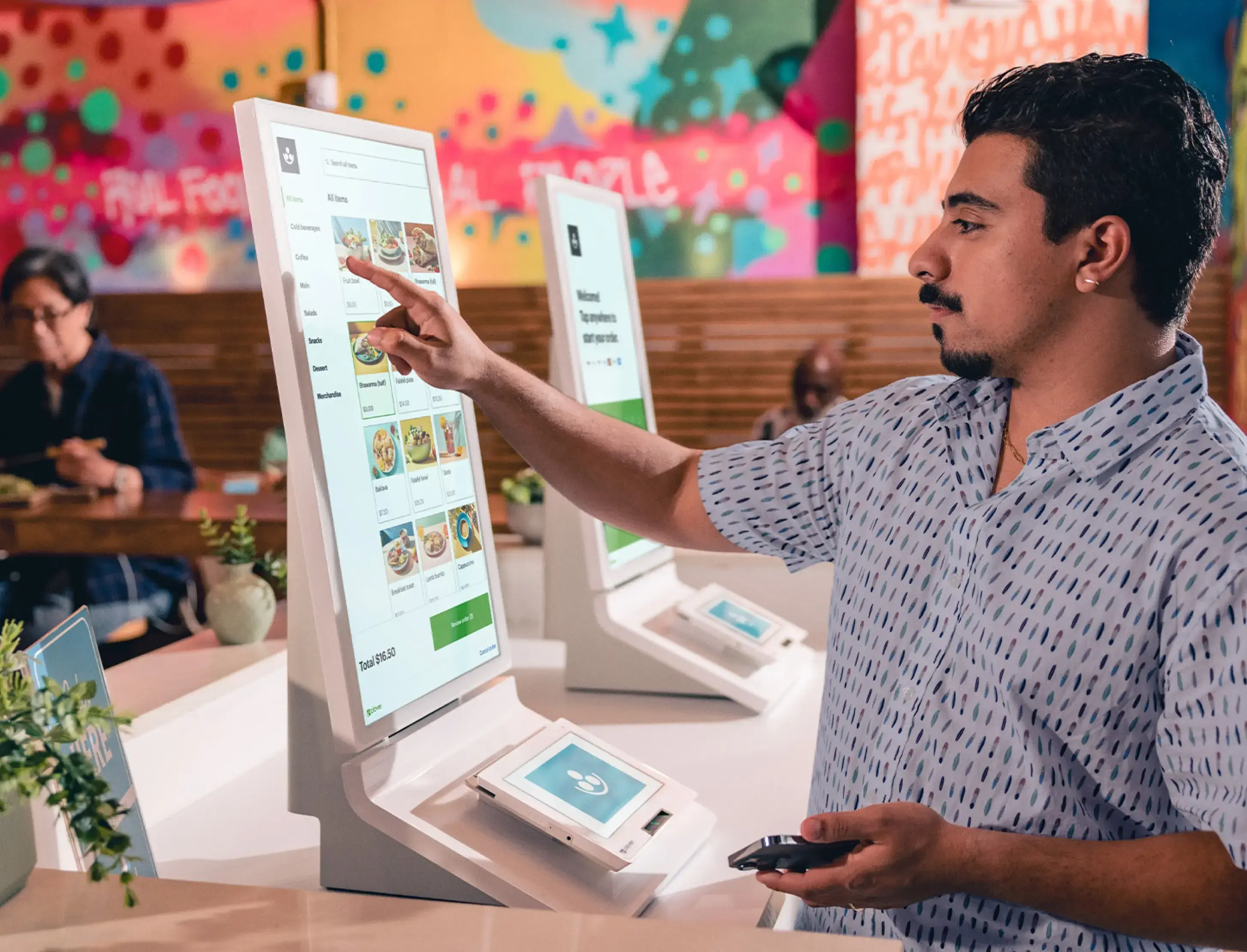
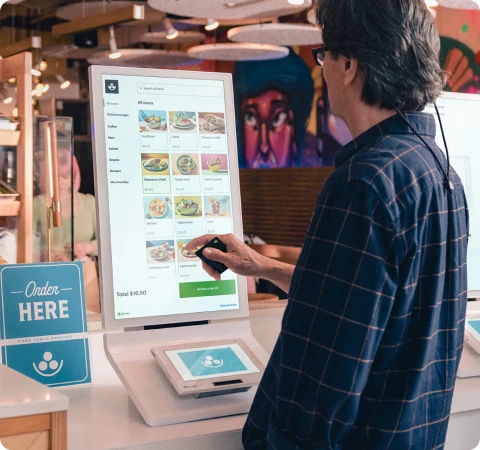
Customer-facing self-ordering that takes payment without staff, syncing to the same menu, inventory and reporting as the counter.

Screen Self-service
Best for Quick service when lines get long
Choosing

Which device, in one line each

Most businesses end up with a combination — a station at the counter and a handheld for the floor. Because the software is shared, nothing is relearned and inventory stays in one place.

Busy counter, customer needs to tap and tip Station Duo
Staff-controlled register, bar or server station Station Solo
Full POS where counter space is tight Mini
Table service, patio, curbside, off site Flex
Simplest, lowest-cost countertop terminal Compact
Card payments from a phone you already own Go
Self-service ordering when lines get long Kiosk
What Payvori adds

The hardware is the easy part

Configuration

Built from your menu, not a template

We load your items, modifiers, categories and tax rules before the device arrives, so day one is trading rather than data entry.

Dual pricing & surcharging

Set up inside the checkout flow

Cash and card prices, card-type detection so debit is handled correctly, receipt wording and the signage — configured on the device, not left to staff.

Apps

Only the ones you will use

The Clover app market runs to hundreds of add-ons with monthly fees attached. We recommend the few that earn their subscription and skip the rest.

Generation check

No end-of-life hardware

Earlier Clover generations are phasing out of app updates. We place current devices only, and tell you where an existing unit stands.

Not sure which device fits?

Tell us how orders arrive and where payment happens. We will name the device, the accessories you actually need, and the ones you do not.


Book a consultation
Markets

Sectors we know without being briefed.

We already know how your kind of business takes money. That is where the conversation starts.

Food & drink

Restaurants, cafes and bars

Tips and splits that reconcile, online ordering that does not need a second system, and cover on the nights that actually matter. We configure modifiers and course flow around your menu, not a template — on MX™ POS or Clover®, whichever your staff already know.

MX™ POS Clover® e|tab ordering
Retail & specialty

Shops with real inventory

Item libraries built from your existing product list, seasonal volume swings accounted for up front, and shelf pricing that carries the card fee where dual pricing suits your customers.

MX™ POS Clover® Category reporting
Professional services

Invoiced and retained work

Payment links and hosted checkout instead of chasing checks, recurring billing for retainers, and level-2 data on commercial cards so those transactions stop downgrading.

Payment links Recurring billing Level-2 data Payables
Trades, contractors & field service

Work that happens off site

MX™ Build runs the whole job — estimate, dispatch, progress, invoice — with the MX™ Build Card controlling material spend. Take deposits from the van and send a payment link before you leave the drive.

MX™ Build MX™ Express Handheld terminals ACH deposits
Our approach

Experts first, vendors second.

Our team came out of acquiring banks, ISO sales floors and POS dealerships. We have read the statements, built the files and run the pricing programs — which is the whole reason to work with specialists instead of signing up online.

The engagement

Four steps, and you can stop after any of them

01
Discovery, on your premises where we can How orders arrive, who takes payment, where the queue forms, what your staff can realistically learn in a week.
02
Statement review, line by line Your true effective rate, which transactions are downgrading and why, and any lease or compliance charges that should not be there. Yours to keep either way.
03
A recommendation, including what to skip The smallest configuration from the ecosystem that solves the problem, sequenced so you are never switching two systems in the same month.
04
Install, training, then the same phone number We set it up on site, train your staff on a live shift, and stay the named contact afterwards. No handover to a support queue.
Where expertise shows up

Four places a specialist saves you real money

Statement review

Reading what you are actually charged

Effective rate, downgrades, padded assessments, equipment leases you forgot signing. We line-item it before we quote anything.

Interchange fit

Qualifying at the right category

Card-present versus keyed, level-2 data on commercial cards, ticket size and AVS habits. Small changes at the terminal move the effective rate more than a headline discount does.

Hardware fit

The right terminal, not the one in stock

We are not tied to one manufacturer, so the recommendation follows your counter, your connectivity and your pricing program — and often keeps hardware you already own.

Compliance

PCI and disclosure, done once

We complete the PCI questionnaire with you, and keep your pricing displays, receipts and signage inside card-brand rules as those rules change.

Dual pricing & surcharging

The largest single saving available to most merchants

Rate shopping trims basis points. Moving the card fee to the customer who chooses to pay by card removes most of the cost line altogether — which is why we model it for every business we review. We check eligibility by state and card type, pick dual pricing or surcharging based on your average ticket and customer mix, configure the terminal or POS, write the receipt wording, and supply the signage. Where it would cost you customers, we say so and leave it alone.

Book a consultation

Tell us about the business. We will take it from there.

Four details is all we need to start. No obligation, no sales sequence — a specialist calls you, asks how you operate, and tells you plainly whether we can improve on what you have.

Request sent

Thank you — your email is ready to send.

Submit another request

Optional
{{ errorText }}
Send request
What happens next
01 A specialist calls you, usually the same business day.
02 If you send recent statements, we review them line by line at no cost.
03 You get a recommendation in writing, including what to leave alone.
Rather just call? (888) 899-9032 Merchant Support. Or email support@payvori.com directly.
Apply to partner

Tell us about you. We will set up the referral track.

Whether you are an affiliate, a bookkeeper, a POS dealer or an ISO, the first conversation is the same — how your clients come to you, and how you want to be paid.

Application sent

Thank you — we will be in touch.

Submit another application

Optional
{{ pErrorText }}
Send application
What happens next
01 We call to understand your client base and which partner track fits.
02 You get the residual structure in writing before anything is signed.
03 Your first introduction can go in the same week.
Rather just call? (888) 899-9032
ISO’s & Agents

Everything you need to sell. Nothing that gets in the way.

An ISO and agent program built around one job: helping you close. A full platform of low-friction solutions to sell, competitive buy rates, a desk that answers, and residuals paid on schedule with the math shown.

Apply to the program
The program

Partner programs customized to the book you actually have

Wherever you are on your payments journey, you should expect high-touch service and pricing that holds up under comparison. New to merchant services or running a full-service portfolio, we build the program around the needs you have now — and leave room for it to grow.

Starting out Training, quoting tools and a desk that helps you price the first deals right.
Growing Better splits as volume builds, sub-agent hierarchies, and hardware at program pricing.
Full service Custom buy rates and direct desk access.
What you sell

A turnkey solution for however your merchant operates

The whole ecosystem is yours to quote — software, hardware, banking and payroll on one account. When a merchant grows into something new, you do not have to hand them to someone else.

MX™ POS Fully integrated POS for restaurants, retail and more.
Clover® POS Eight devices on one platform, countertop to kiosk.
MX™ Mobile Handhelds and phone-based acceptance in the field.
MX™ Build Job management and financials for contractors.
ACH processing Recurring debits and payouts at cents per transaction.
Banking & Treasury Accounts, cards and sweeps beside the processing.
Payables Supplier and bill payment your merchants already need.
Payroll & Benefits One more line of residual on accounts you already own.
Who it fits

Offices, agents and dealers

Bring one deal a quarter or a book of two hundred — the program is the same, the split scales with volume.

Independent agents Sell under your own brand with our paper, pricing and support behind it.
Sales offices Sub-agent hierarchies, split management and per-office reporting handled for you.
POS dealers Attach processing to the systems you already install, on Clover® or MX™ POS.
Existing portfolios Conversions handled account by account, with a written plan before anything moves.

Send us your current schedule.

We will come back with your split on this program, side by side with what you earn today.

Apply to the program
About us

Payments is a relationship business. And relationships are what matter

Why we do it

What we enjoy most is the relationships — with merchants and with the agents who serve them. Building programs that let an agent earn a real living, and finding technology that takes friction out of how a business actually operates, is the part of this job we would do anyway.

Between us we have decades in payments and very little interest in coasting on it. We are honest, we work hard, and we keep learning as the industry moves — because the answer that was right five years ago usually is not the right one now.

And we wanted a company where support means a real person. You get a name and a number, not a ticket in a queue — someone who knows your account before you finish explaining it.

Marce Duran

Co-founder

Marce started his career on the operations side, first as Director of Operations and Controller at SCS, where he helped grow annual revenue from $1 million to $12 million — leading the sales and corporate staff and rebuilding the technology behind the sales process to cut errors and speed up service.

He spent 16 years at Mainstream Merchant Services as a founding partner, with a simple goal: build a premier platform for sales partners to grow their own businesses. Finance, structure and leadership were his lane through the years, and he stayed through the 2022 acquisition.

He lives in Roswell, Georgia with his wife of 12 years, their 10-year-old daughter and 7-year-old son. Outside work it is kids’ sports, skiing, golf, lake life and travel.

Andy Glover

Co-founder

Andy started in payments as an Account Executive for Lynk Systems in 2001, where he ranked among the company’s top producers every year he was there — selling on integrity and relationships rather than a pitch. In 2007 he left to help start Mainstream, where he ran and helped build a sales force before moving over to Head of Products — and, like anyone in a startup, wore a lot of other hats along the way. Mainstream was acquired in 2022.

He lives in Roswell, Georgia with his wife of 18 years and their 8-year-old son. Outside work it is sports with his son, skiing, golf, lake life and travel.

Partners

Send us the merchant. We do the consulting, you keep the residual.

For bookkeepers, POS dealers, franchisors and trade associations whose clients keep asking about card fees. You make the introduction; our consultants run the review, the install and the support.

Residuals

Paid monthly for as long as the merchant processes, with statements you can audit.

We do the work

Statement review, proposal, install and training. You stay the trusted partner.

Your client stays yours

We work through you, not past you — every recommendation comes to you first.

Who this works best for

Anyone whose clients already trust them with money decisions. One introduction a quarter is enough to make it worthwhile.

Apply to partner
Affiliate partners Bookkeepers & accountants POS resellers & installers Trade associations